


Don’t just define competencies: measure them, develop them and prove growth
Define your competencies and level models, assess employees, compare them with role and strategic targets, and link gaps directly to courses.
Assessment, development paths, reassessment, role profiles, gap analysis, strategic focus, the competency map and manager intervention all run on one platform, in a single loop.
Request a demo See the loop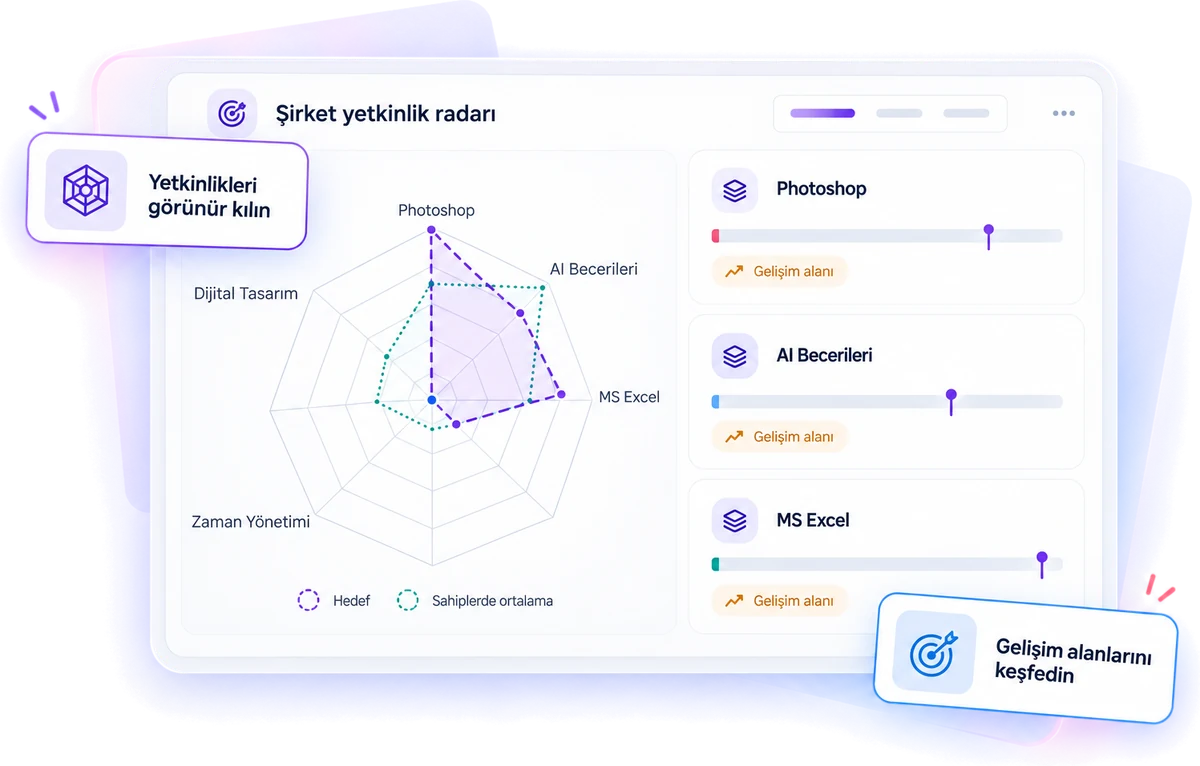
Every function is part of the same loop
The module’s power comes from its features working as one loop rather than in isolation.
Clarify expectations
- 01Competency is defined
- 02Levels are set
- 03Role or strategic target is assigned
See today’s picture
- 04Employee is assessed
- 05Gap is revealed
- 06Development path kicks in
Document growth
- 07Employee is reassessed
- 08Competency is earned
- 09Result shows on the radar and map
“Which courses did we deliver?” isn’t enough on its own.
Oriento also answers which competencies you need, what level your employees are at today, how you close the gap, and how you prove that growth has happened.
All your organization’s competencies, in one hub
Technical, behavioral, managerial or compliance-focused: manage as many competencies as you need in the same structure.
Library
Name, category, levels, validity period and publishing status in one list. Search, filtering and customizable columns; active, draft and archived statuses.
Categories
Create your own categories such as Technical, Leadership, Digital, Sales, Behavioral and Compliance; categories also drive reporting by unit and team.
New competency
Set a name, description and category, and give the competency a visual identity with an emoji and color. Keep it in draft and publish once all settings are done.
Levels
Beginner, Intermediate, Advanced and Expert. You don’t have to use all four levels for every competency; choose two, three or four.
Validity period
Permanent or time-limited, such as 12 months. When it expires, the competency moves to “Expired” status and must be revalidated. Ideal for regulation, compliance and information security.
Approval without assessment
For competencies validated through experience, observation or certification, the manager can assign a level directly. Who assigned it, when and why is recorded.
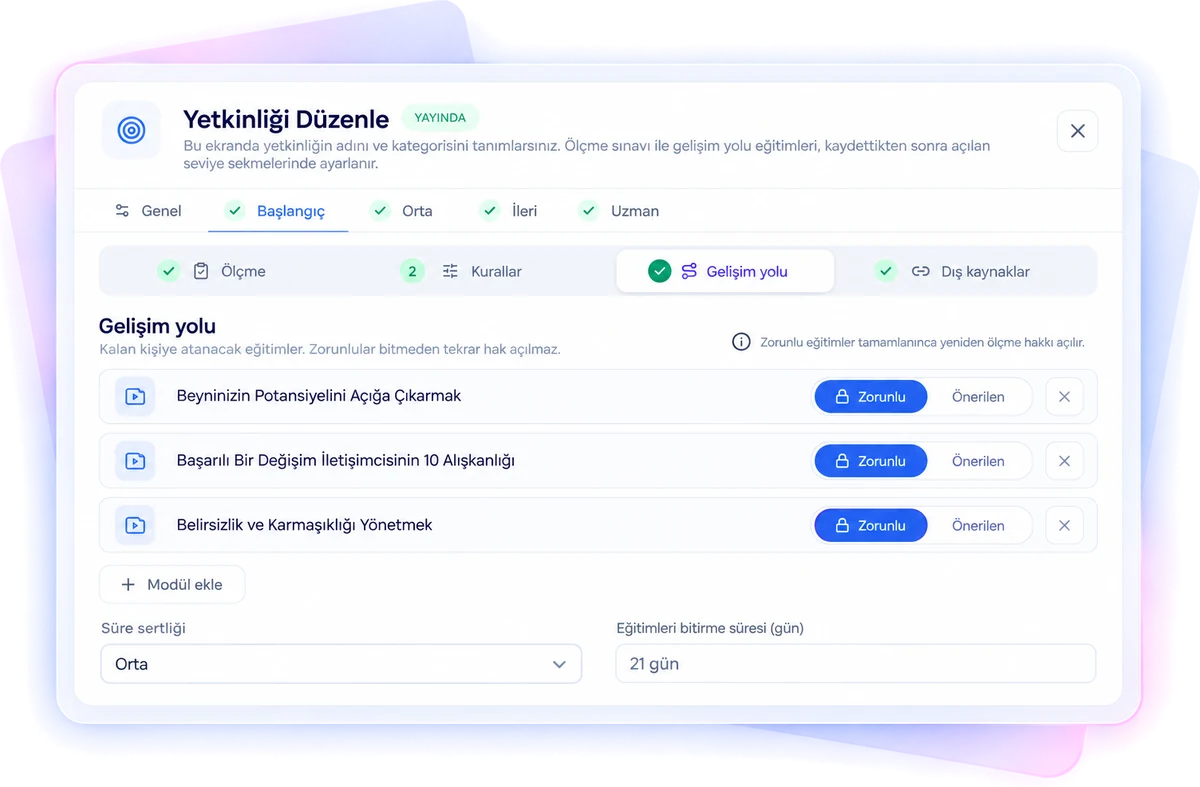
Each level has its own assessment, rules and development path
A real development model instead of a “knows / doesn’t know” checkbox: each level has Assessment, Rules, Development Path and External Resources sections.
- Passing threshold: 70% for a technical skill, 90% for a critical compliance competency.
- Exam: time limit in minutes — enter 0 for no limit; a random set of questions from the pool on each attempt, in the number you choose; a tiered question pool or a separate exam per level.
- Attempts and waiting period: three attempts by default, plus the number of days to wait before a retake after a fail.
- Required course lock: an employee who fails can’t retake the exam until they complete the required development content.
- Lower-level prerequisite: the lower level must be earned before moving up.
“Failed” isn’t an outcome, it’s where growth begins
When an employee fails an assessment, the development path tied to that competency and level kicks in. Employees who don’t feel ready can start courses without taking the exam.
Required content
Courses taken on the platform. The retake stays locked until they’re completed.
Recommended content
Content shown as recommendations to support growth; not a prerequisite for a retake.
External resources
Books, articles, videos, web links or external course platforms. Employees mark completion themselves.
Deadlines and strictness
Strict deadlines for compliance, medium strictness after a fail, flexible target dates for voluntary development.
Typical flow: Exam → Fail → Development path → Required courses → Retake → Pass. When all attempts are used up, the automatic loop stops and the case is escalated to the manager.
See not just the level, but which stage the process is in
Measure role expectations and company strategy separately
Oriento deliberately separates two target logics, so analysis works at both the individual and the organizational level.
Role profiles
Define which competencies you expect from a position, and at what level. For a Sales Manager, for example: MS Excel Intermediate, Customer Management Advanced, Leadership Advanced, Financial Literacy Beginner. Link the profile to employees, and the difference between current and expected levels is calculated as the gap.
Strategic focus
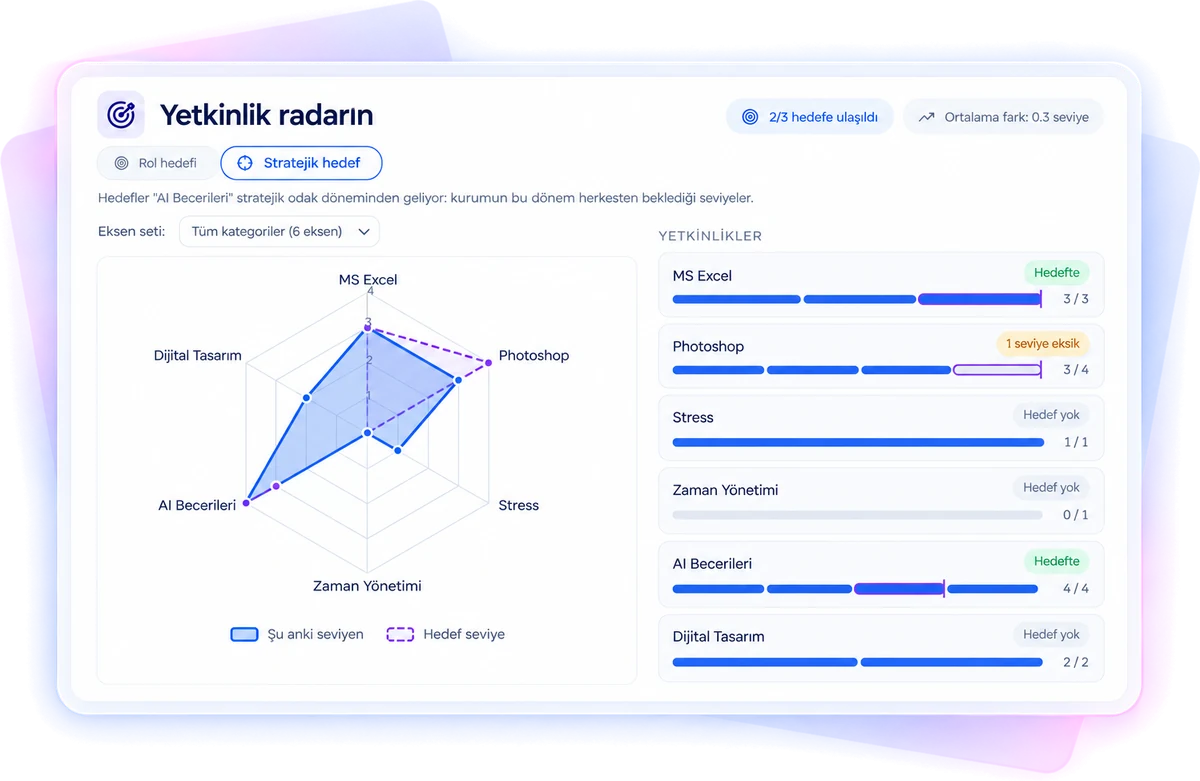
Set critical competencies for a given period, such as “2027 AI Skills”. Give each competency an organization-wide target level: instead of saying “important”, say “this is the level we want to reach”.
Example: The company’s strategic target for AI Skills might be Intermediate for everyone, while the role target for an employee in the Data Science Specialist role is Expert.
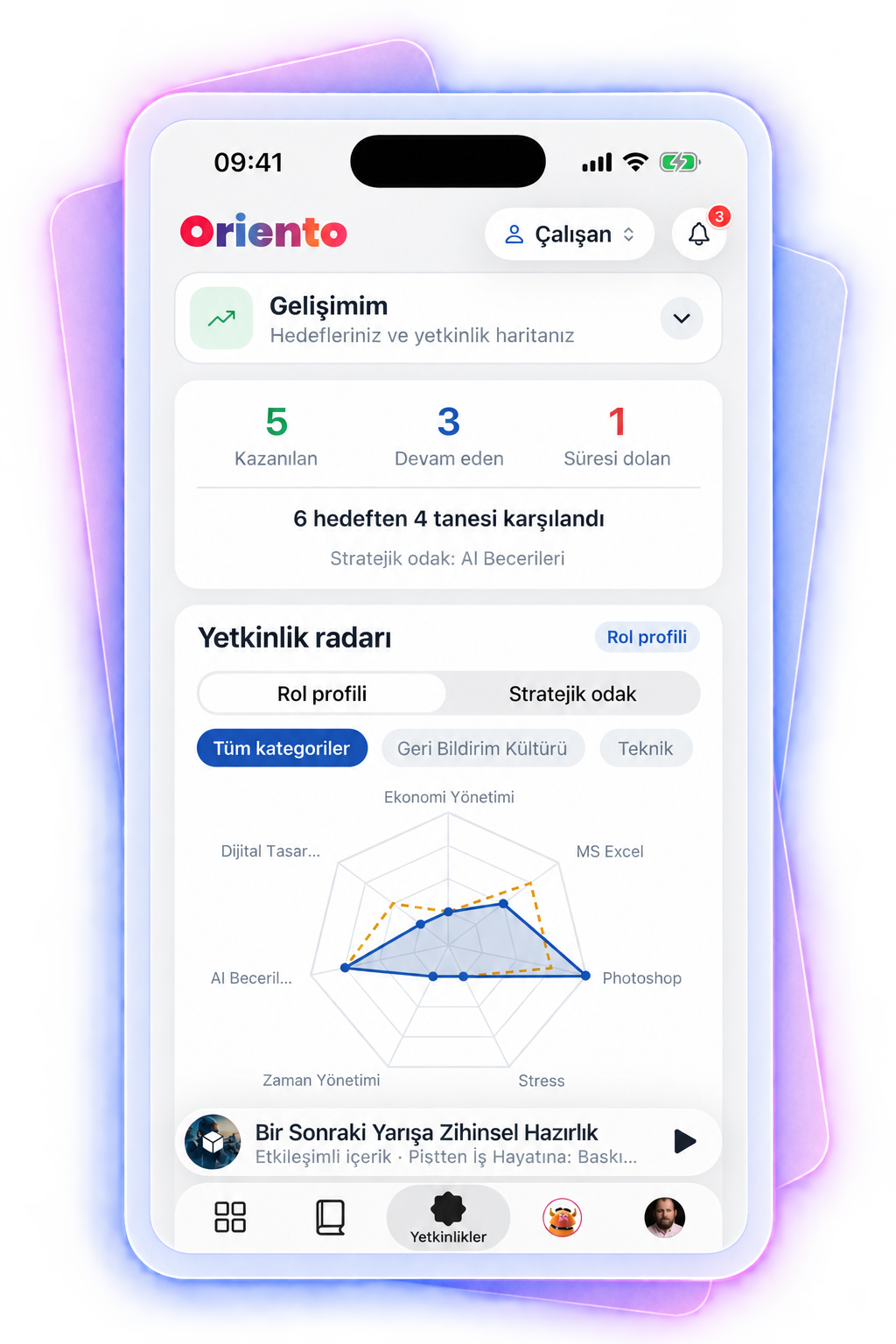
Competency map, individual radar and gap analysis
Employees in rows, competencies in columns. Filter by role profile, person, unit, status or just the manager’s own team; select a role to see the distance to target.
- Which competencies are strong on my team? Who needs development in which competency?
- Who meets the competencies a role requires? Which units have the most critical gaps?
- Individual radar: the person’s current level and target overlaid; switch the target line between the role target and the strategic target.
- Gap analysis: if the current MS Excel level is Beginner and the role target is Advanced, that’s a two-level gap, at person, team and organization level. Oriento detects and reports the gap; the manager or HR decides which development action to take.
AI-powered competency and content matching
Don’t search hundreds of courses for the right content when building a development path. Oriento’s AI semantically compares the competency definition with course titles, descriptions and content, and recommends courses that fit the level. Recommendations are never published automatically; the admin or manager always has the final say.
Where automation ends, a person takes over
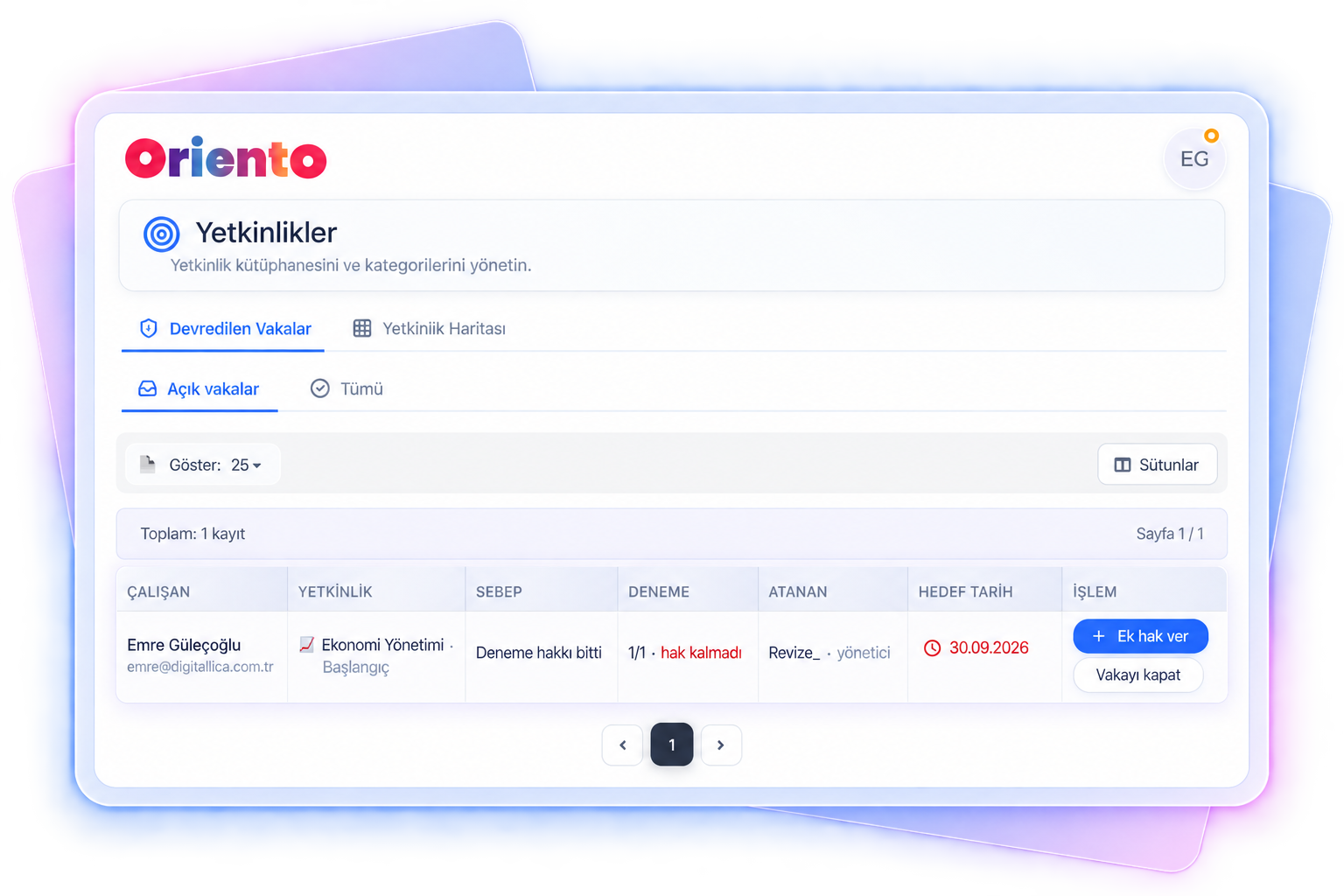
Employees who use up their attempts or need support in required development are collected in the Escalated Cases area.
- The manager or HR sees which competency the employee is struggling with, how many times they’ve taken the exam and how long they’ve been waiting.
- They add a meeting note, assign a new course, grant a retake or manually approve the competency with a justification. Manual actions are kept in the audit log.
- Reminders as deadlines approach, notifications when a retake opens, alerts when a deadline is missed and revalidation reminders before expiry; the manager is informed when support is needed.
Everyone sees what they need to see
In the multi-tenant architecture, all permissions are separated per organization.
| Function | Employee | Manager | HR | Admin |
|---|---|---|---|---|
| View own competencies | ✓ | ✓ | ✓ | ✓ |
| View team competencies | — | ✓ | ✓ | ✓ |
| Organization view | — | — | ✓ | ✓ |
| Define competencies and categories | — | — | — | ✓ |
| Build development paths | — | — | Optional | ✓ |
| Resolve escalated cases | — | ✓ | ✓ | ✓ |
| Define role profiles | — | — | ✓ | ✓ |
Let’s bring your competency model to Oriento
Tell us about your current competency set and role expectations, and we’ll show you how to build the assessment and development loop in Oriento.
- Level-based assessment and development paths
- Separate role and strategic targets
- Competency map and individual radar
We’ve received your request
We’ll get back to you the same day. If it’s urgent, email us at info@digitallica.com.tr.